The portal
Every family gets an account. It is where the season lives, so nobody has to remember which email had the list in it.
Already with Keel?
The portal is at keel.college, and you reach it with the address the account was opened with.
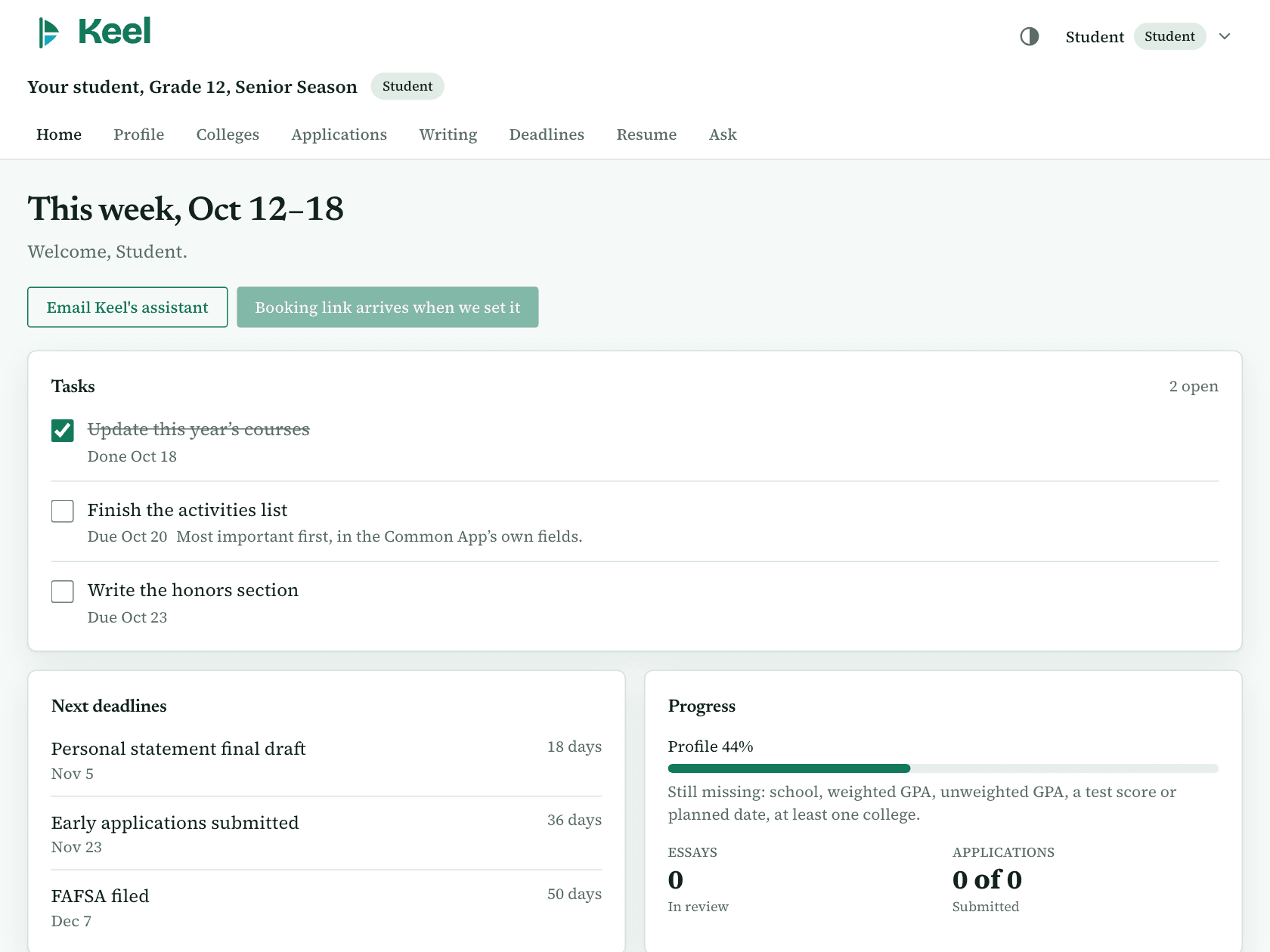
What is inside
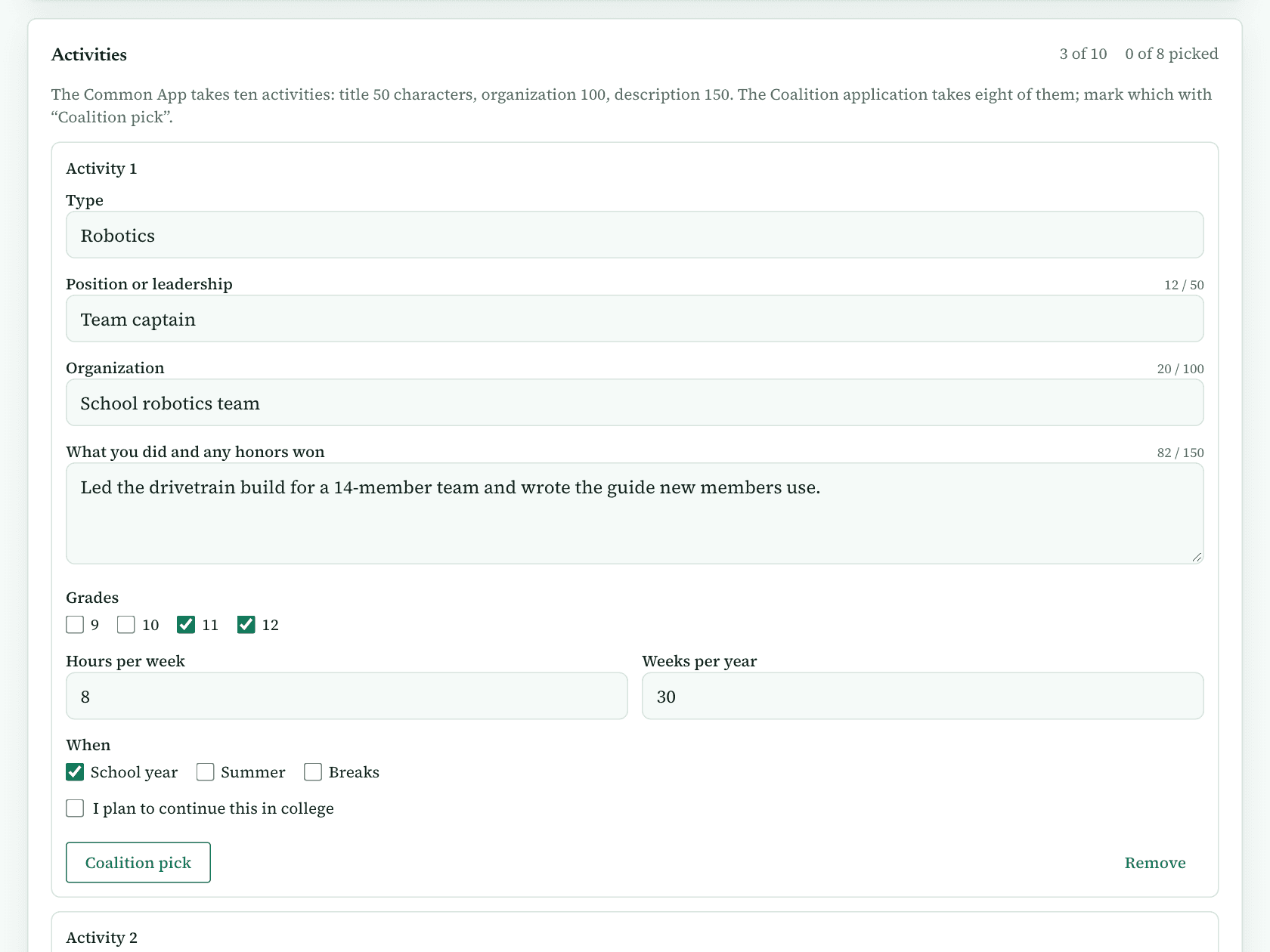
- The student record
- Courses, test scores, activities and honors, written in the Common App’s own field limits so nothing has to be squeezed later.
- The college list
- Up to 20 schools, each with what it asks for and when it is due. Every fact on a college record carries the date it was last checked and where it came from.
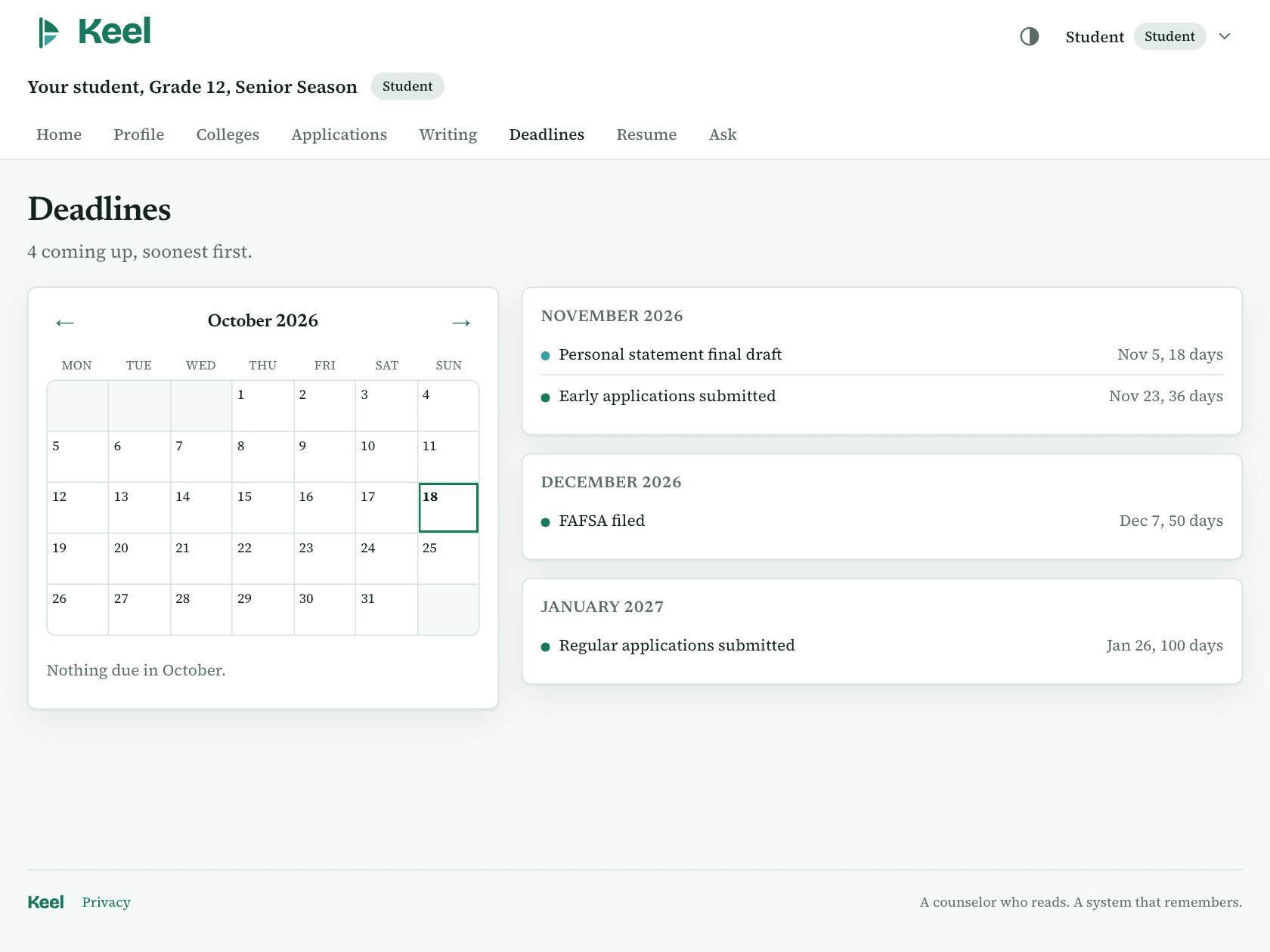
- Deadlines
- A calendar of what is due, with reminders before each one. This is the part that runs whether or not anyone remembers to look.
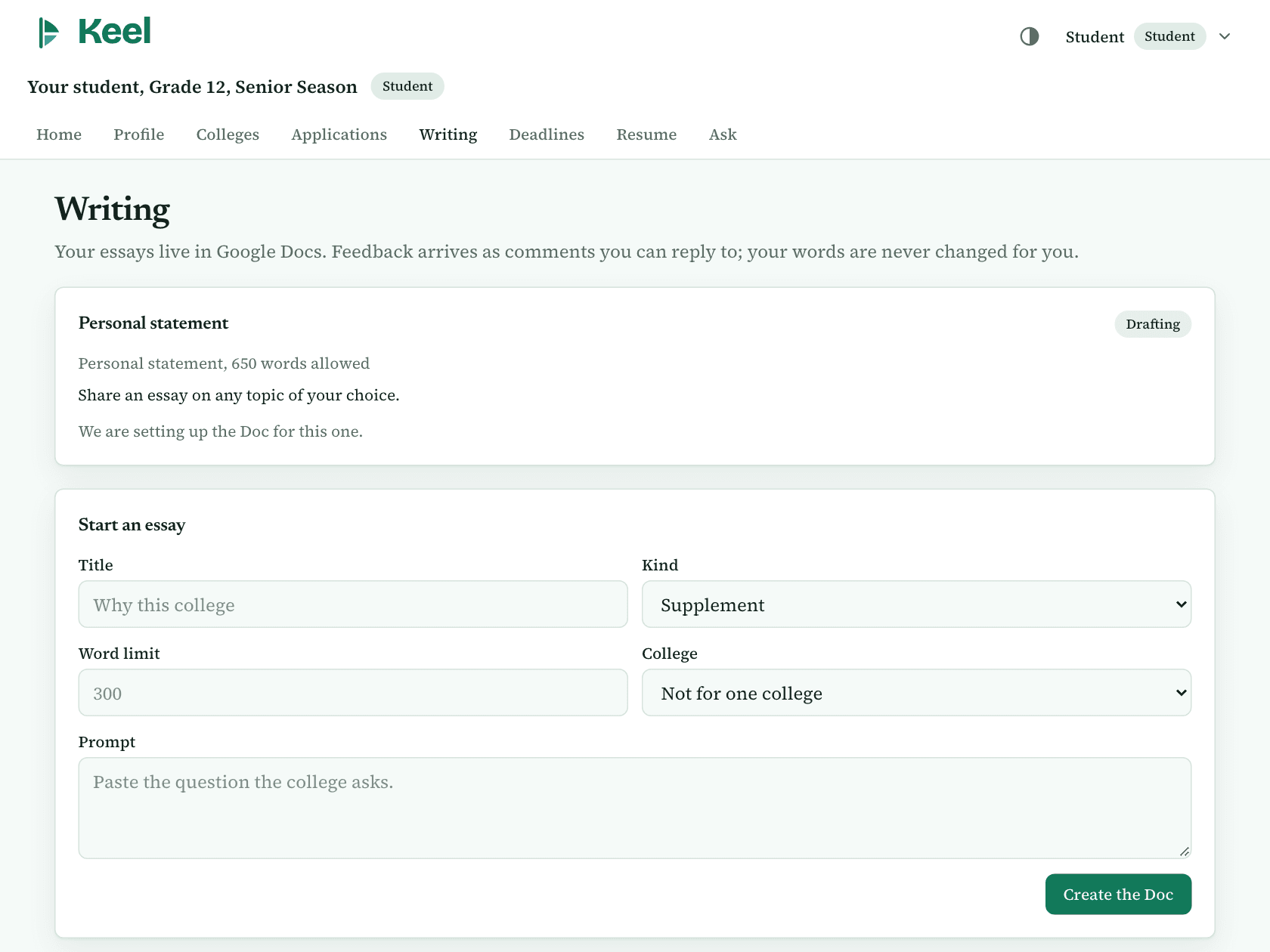
- Writing
- Drafts live in Google Docs that Keel shares with the student. On Grades 11-12, mark one ready for feedback and it comes back as comments, from us.
- The tracker
- Where each application stands, in one screen, for the student and for the parent.
- Ask
- Send a question and get an answer inside the time you were promised, not whenever someone gets to it.
Who holds the account
A parent or guardian holds the account and agrees to each thing separately. A student aged 13 or older gets their own sign-in, so their drafts and their questions are theirs. Keel cannot take a place for a student under 13.
A parent can read everything in the portal. What a parent cannot do is write in the student's place, because the record has to be the student's own.
The privacy page says what is stored, who processes it, and how to ask for a copy or for it to be deleted.
Not with Keel yet?
Every plan includes access to the portal; the tools and support depend on your plan. Grades 9-10 and Grades 11-12 include a counselor, and Grades 11-12 also includes feedback on writing. Tell us the student's year and we will tell you which plan fits.